Win7 style messed up

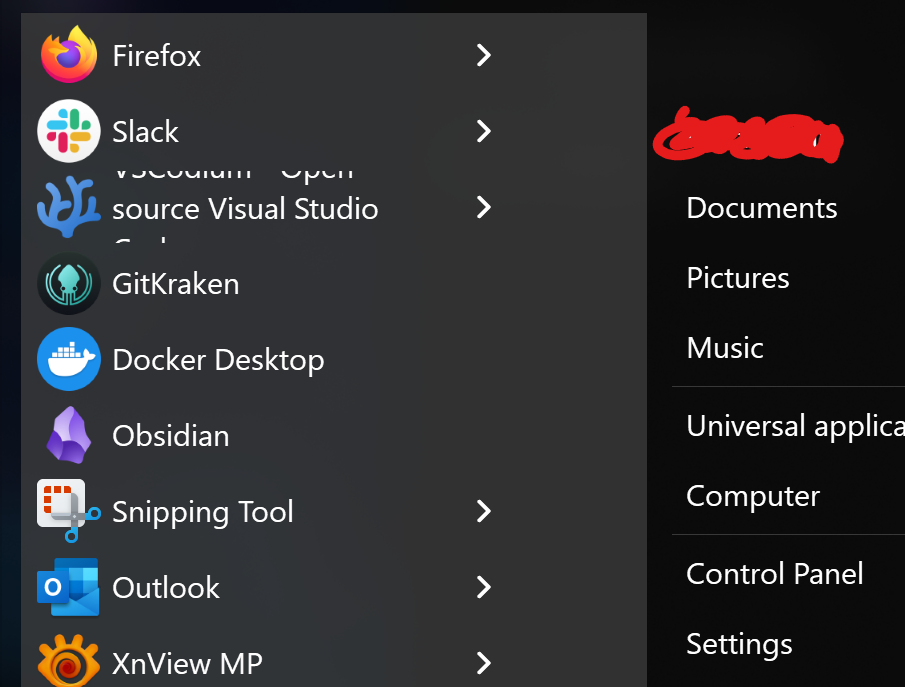
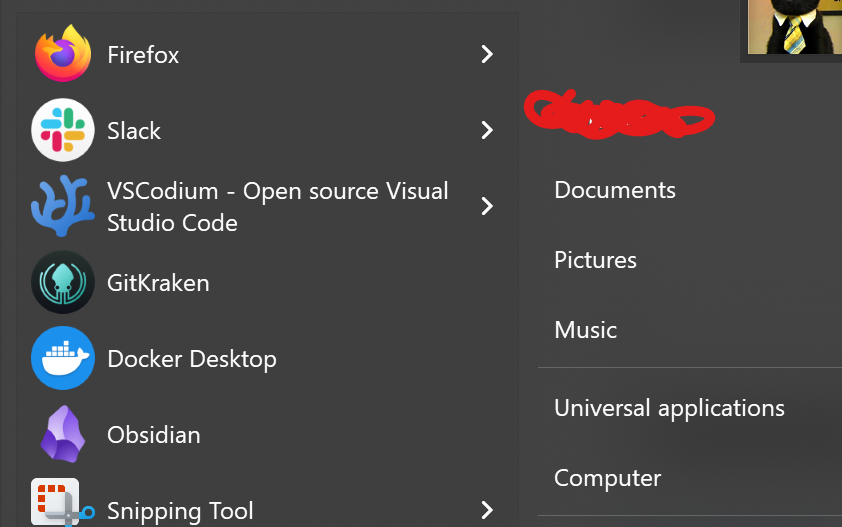
Why does Start11 look like this on my primary screen:


And like this on my secondary screen:


Seems like you need to test better with HDPI settings.

675 views 4 replies
Reply #1 Top

I've seen it look different my when my secondary screen is a different kind of screen when I'm at the office. I'll try to remember posting screens of what that looks like when I'm there.

In the mean time: do you need any more information to resolve the issue?

Reply #2 Top

Hello,
Sorry to hear you are having issues. Need more information.

  1. Windows 10 or 11? Also need its full version and OS Build number.
  2. Start11 full version number.
  3. Information on your Monitors, resolutions, Windows scale factor : 100%, 125%, 200% etc.
  4. Any other relevant information.

Thank you,
Basj,
Stardock Community Assistant.

Reply #3 Top

Sorry for the late reply.

  1. Windows 11 25H2
  2. Start11 2.7
  3. Primary 3840x2400 @ 250% + Secondary 3840x2160 @ 200%
  4. My secondary monitor is positioned above my primary. Both are horizontally oriented.
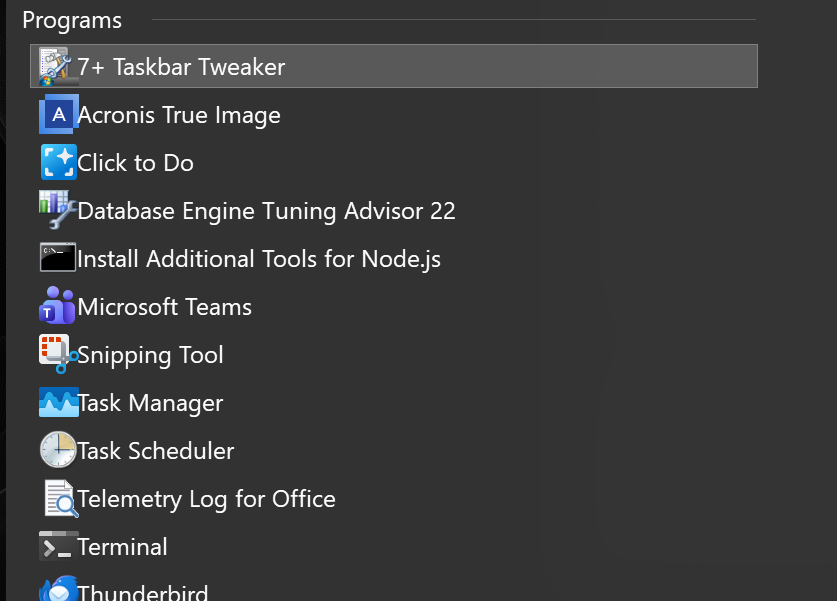
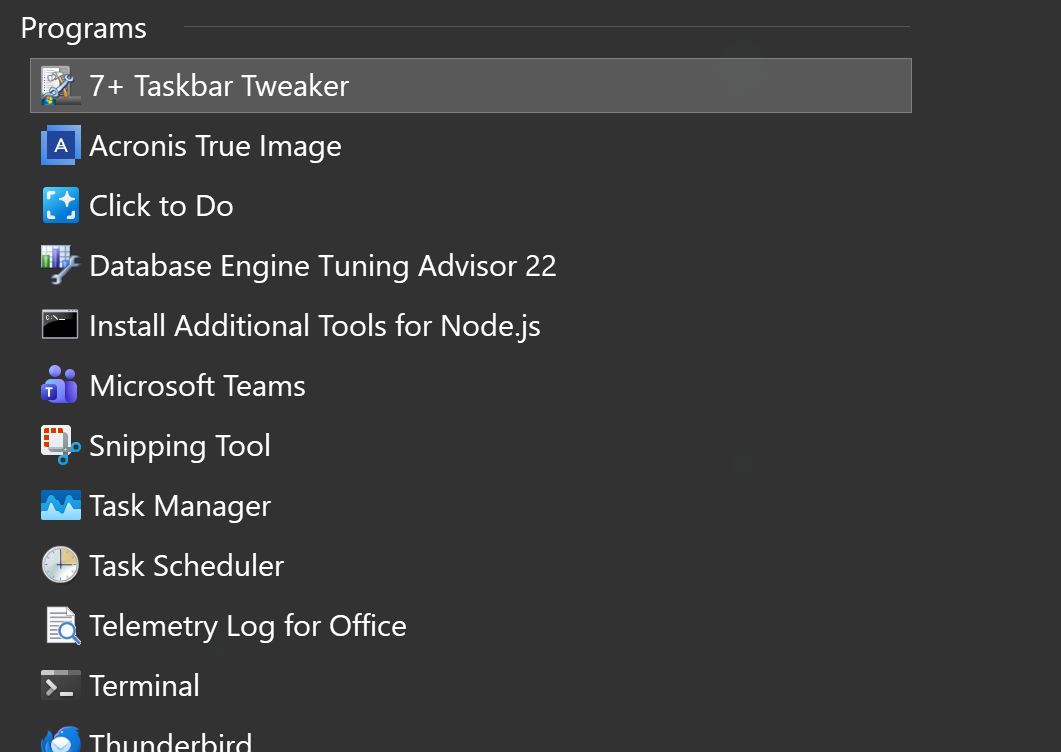
Btw, the search also looks "off". On the primary screen it looks like how it's probably intended. On the secondary screen, the icons are too big for the imaginary box they're supposed to be contained within. Text is glued to them:
 
Versus the intended look:
 
Btw, did you also notice the colour difference in my start post? I didn't mention it, but it's weird that is decides on a different colour, even though there is no per-monitor colour setting for the start menu.
Reply #4 Top

Please try, uninstall Start11, reboot immediately (important), download latest version available in your account product download page: https://store.stardock.com/myaccount/products. (V2.71 Beta) Install it, reboot immediately again. Retest it and report back.

If the issue still appear, Need more information on your system.

  1. Resolutions on your monitors.
  2. Windows Scale factor on your monitor (100%, 150% etc)
  3. What do you mean by this "my secondary screen is a different kind of screen"
  4. Do you have any monitor manager software installed that changed how your monitor look. Perhaps some color calibration or correction tools etc.

Thank you,

Basj,
Stardock Community Assistant