Pin a program on the secondary screen

So on the primary screen, I can pin a program to the task bar. But on my secondary screen, that option is not available. Can this be added too please?

1,022 views 7 replies
Reply #1 Top

Hello,

Have you try these steps.

  1. Pin a program to your taskbar.
  2. Open up Start11 Configuration.
  3. Turn on Enhance taskbar if it is not already turned on.
  4. Click on "Configure enhanced taskbar"
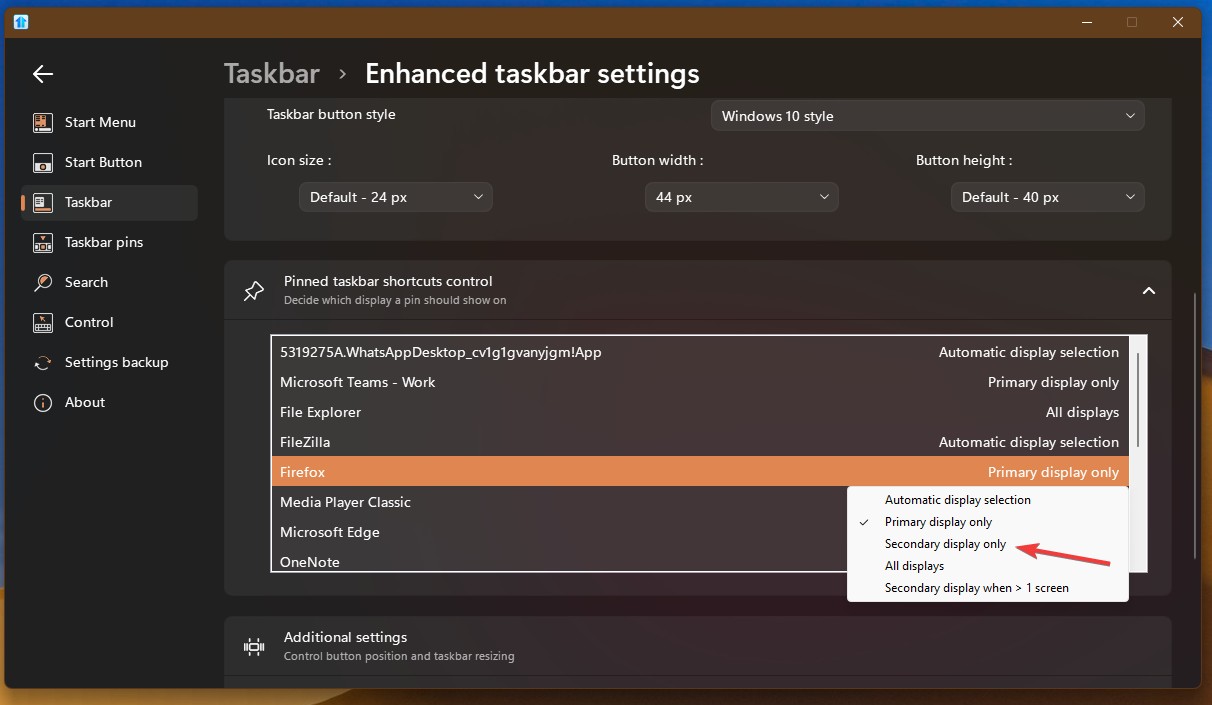
  5. Go to "Pinned taskbar shortcuts control" click on that down arrow to open pinned shortcut list.
  6. Get to your which ever pinned program that you wish to appear on your secondary taskbar. Click on it.
  7. Select "Secondary display only".

Thank you,
Basj,
Stardock Community Assistant.

Reply #2 Top

Yes that seems to work. But I got stuck on step 1 initially. Like I mentioned, the option "Pin to taskbar" isn't there. So I had to move the window to my primary screen, then pin it, and then move it back.

I'm sure it's possible to make this experience smoother. Even moreso if you make the "Pin to taskbar" option a menu with things like "Pin on this monitor only", etc.

Reply #3 Top

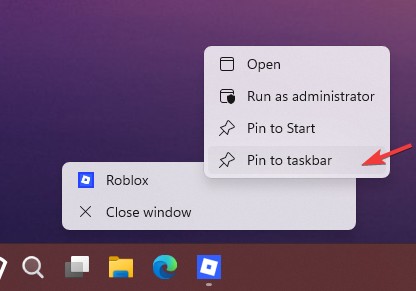
Actually you should be able to pin in your taskbar while on your secondary monitor. Need to right clicking twice, once on the taskbar button and once again when the menu open up, right click on that app menu. Refer my screenshot below.

Thank you,

Basj,
Stardock Community Assistant

Reply #4 Top

I guess it requires some sort of super special setting for the double right-click to work properly. On my machine A second right-click just shows the same menu as it does for the first right-click.

Reply #5 Top

Quoting Martyyy, reply 4

I guess it requires some sort of super special setting for the double right-click to work properly. On my machine A second right-click just shows the same menu as it does for the first right-click.
End of Martyyy's quote

You have to right click on the menu itself where the icon and title is showing.  Not on the taskbar twice as that will need do the same thing twice.

Reply #6 Top

I got it working once, I guess, and I don't know how anymore. I followed your instructions today again, and what comes up is a contextmenu with:

  • Open
  • Run as Administrator
  • Properties

But not "Pin to Start" or "Pin to Taskbar" like in your screenshot. How do I get them as well?

Some applications do show these two options. But for example Firefox does not. Even though I did manage to pin it using your instructions, I can now no longer pin or unpin it from that menu. Same for GitKraken. Same for Outlook. Same for Slack. Same for VSCodium.

But for example Windows Terminal and Teams do have the two pin options. So it's not completely broken. Just broken for most applications (that I use). Even the Start11 config application itself doesn't show the two pin options.

I have already upgraded to 2.71, to be clear.

Reply #7 Top

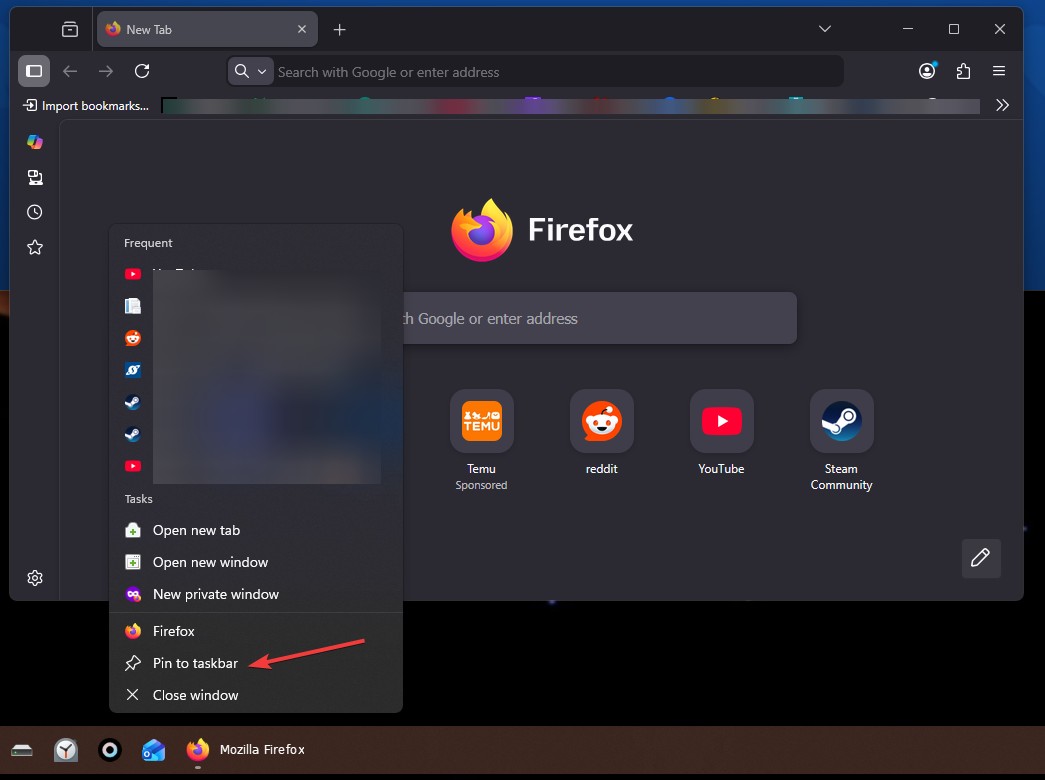
Here is what I get for Firefox. There is pin to taskbar. Please post a screenshot on what you have on Firefox.

Thank you,


Basj,

Stardock Community  Assistant