Can't start the game from my account

I mistakingly used my GalCiv3 Humble Store key on a different Steam account on my computer. Since I don't think that can be fixed, I'm trying to salgave the situation by playing from my account through Steam's Family Share, but I get the following error message when launching the game:

"The following DLC folders are in a state of partial install:

DLC1_MapPack

DLC5_Buildser's Kit

Please exit Steam completely and check task manager to make certain that it's not running, then start it up again and validate your files. If the problem persists, please see our troubleshooting guide or file a ticket for assistance:

http://tinyurl.com/GC3Support

http://tinyurl.com/GC3Ticket"

I followed all the troubleshooting steps on the first link up to and including "The Purge". It didn't fix the issue, so I submitted a ticket as instructed. Their answer was just to post here. So... help?

24,895 views 17 replies
Reply #1 Top

Hello,

Sorry to hear you are having trouble.

I mistakingly used my GalCiv3 Humble Store key on a different Steam account on my computer.
End of quote

An account you have access to or no?  Does it work under that account?

There is a section of the FAQ that deals specifically with that error:

-----------------------

-Error 'The folllowing folders are in a state of partial install'

If you are running the game from a shortcut on your desktop, delete it and recreated from within Steam.

-----------------------

I gather that did not work?

----------------
Sean Drohan
Stardock Customer Service Manager

Reply #2 Top

Wow I got this error message I couldn't fix it. I finally had to have someone work on myc  Hopefully you.get it fixed. Try your hidden administrator account.

Reply #3 Top

Quoting sdRohan, reply 1

An account you have access to or no?  Does it work under that account?
End of sdRohan's quote

I do have complete access to that account, and the game does work there.

To be clear, there is also another game under that account that does work on mine, so the Family Share feature does work with other games.

Quoting sdRohan, reply 1

There is a section of the FAQ that deals specifically with that error:

-----------------------

-Error 'The folllowing folders are in a state of partial install'

If you are running the game from a shortcut on your desktop, delete it and recreated from within Steam.

-----------------------

I gather that did not work?

End of sdRohan's quote

I do not run the game through a shortcut, I do it directly through Steam. Creating a new shortcut through Steam and using it doesn't help. I tried the other sections of the FAQ up to and including "The Purge" and none of them fixed the issue.


Quoting admiralWillyWilber, reply 2

Wow I got this error message I couldn't fix it. I finally had to have someone work on myc  Hopefully you.get it fixed. Try your hidden administrator account.
End of admiralWillyWilber's quote

I just tried that. It didn't help, but thank you for trying to help too.

Reply #4 Top

I'm sorry to reiterate, but when I submitted a support ticket more than a week ago I was told that these kinds of issues were dealt with through this forum. It's been a week with no updates so far and I'm still waiting to be able to play the game. Can someone please help?

Reply #5 Top


I'm trying to salgave the situation by playing from my account through Steam's Family Share, but I get the following error message when launching the game:
End of quote

We just don't have experience with this option or how it could be contributing to your issue.  You did mention that the game works fine under the account it was installed on, yes?

Sean Drohan
Stardock Support Manager

Reply #6 Top

I'm getting this error on my desktop how do I fix this. I can't seem to fix this. Also missing data files is attached to this error.

Reply #7 Top

I can't help you, sorry. I was never able to solve it. I considered buying the game again on the other account, but I felt that that would be rewarding the company for not supporting a feature. It seemed backwards enough for me to decide to simply cut my loses, accept that I spent money on a game I will not play and move on.

Reply #8 Top

I now have the same problem. We have multiple family accounts on the same computer. I purchases GC3 in my Steam account and my kids use it in their Steam accounts in their Windows accounts. We now have the issue of the error when trying to launch in the accounts that access the game via the Steam Family Share feature.


The game gets to the Stardock launch window. When Play is selected in the window, the splash screen comes up then the same error as the original post. I've tried verifying files plus removing and reinstalling DLC but the error persists. The game works fine in my account (which uses the exact same files since I launch on the same computer). I can even get it to launch in my Steam account from my child's Windows account.

This appears to be an issue with Steam and Family Games but only occurs on GC3. Nearly every game they play is using the Family Games feature but this is the only one that now gives errors. Maybe an issue with the new launcher?

Reply #9 Top

All,

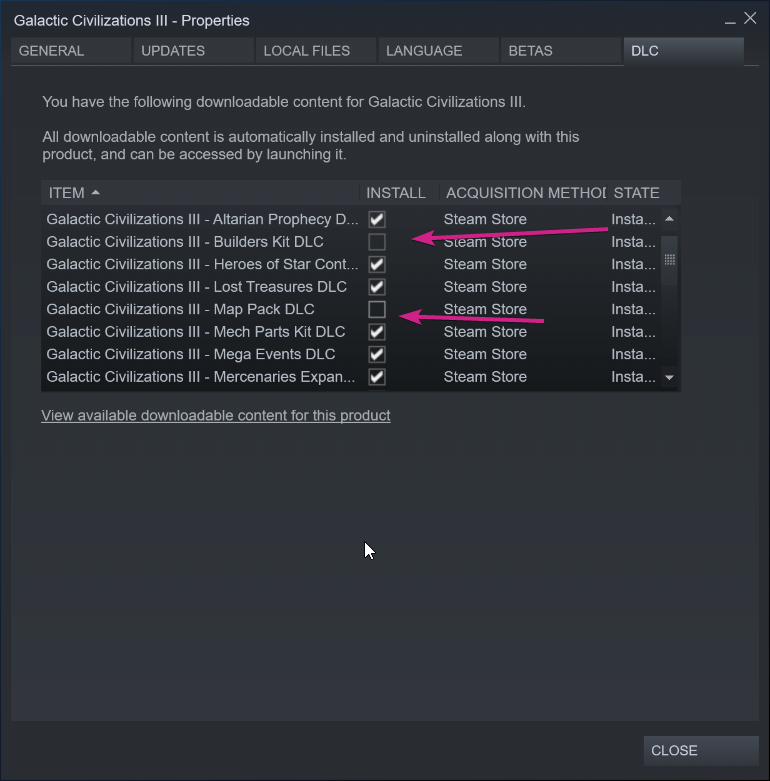
If under the main account, you uncheck / uninstall the noted DLC:

DLC1_MapPack

DLC5_Buildser's Kit

Then try again, does it work?

Sean Drohan
Stardock Support Manager


Reply #10 Top

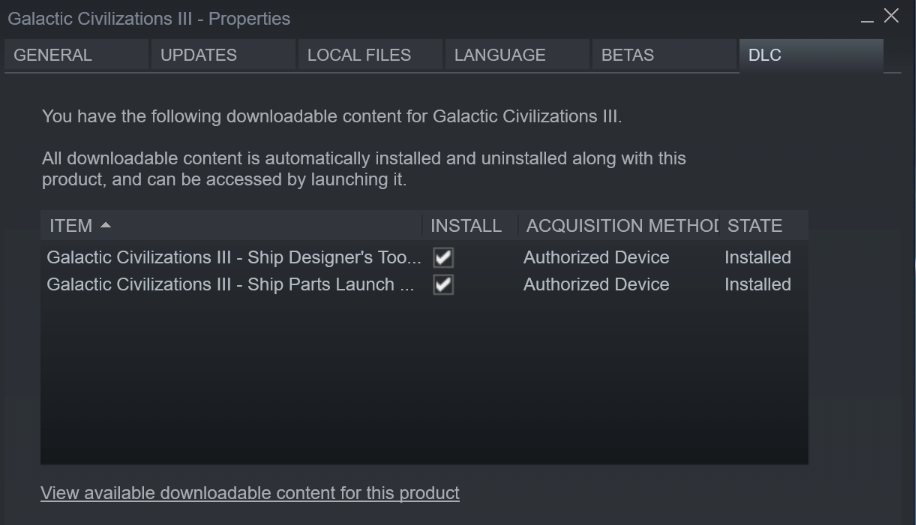
Thanks for the reply. Unfortunately, this is not an option in the account with the issue. Here's what it looks like in the account with the errors (child's account):


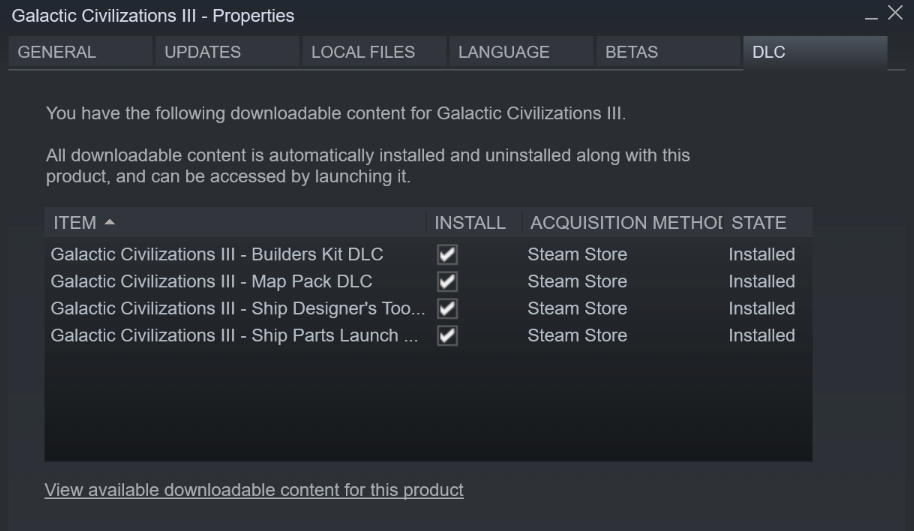
And here's what it looks like in the main Steam account (my account):

Reply #11 Top

I removed the dlc I'm still getting tiny url missing data file error. I do not have a steam family account.

Reply #12 Top

Here's the answer download and install direct x

Reply #13 Top

Quoting RocketGuy, reply 10

Thanks for the reply. Unfortunately, this is not an option in the account with the issue.
End of RocketGuy's quote

But that is not what I wanted you to try, I wanted you to uncheck the noted DLC on the main account, not the other. 

Quoting admiralWillyWilber, reply 12

Here's the answer download and install direct x
End of admiralWillyWilber's quote

That is covered in the FAQ.  So that worked for you?

Sean Drohan
Stardock Support Manager

Reply #15 Top

Disabling those in my main account lets the game run in the family account. Thanks.

Assuming this means that when I want to use these DLC packs, I'll have to enable them and then disable them when I'm done so others can play the base game? Any idea if this will be a permanent limitation or if a fix is in work?

Reply #17 Top

Yeah download, and install directx. I suggest your common folder. Steamapps