

Missing Grid

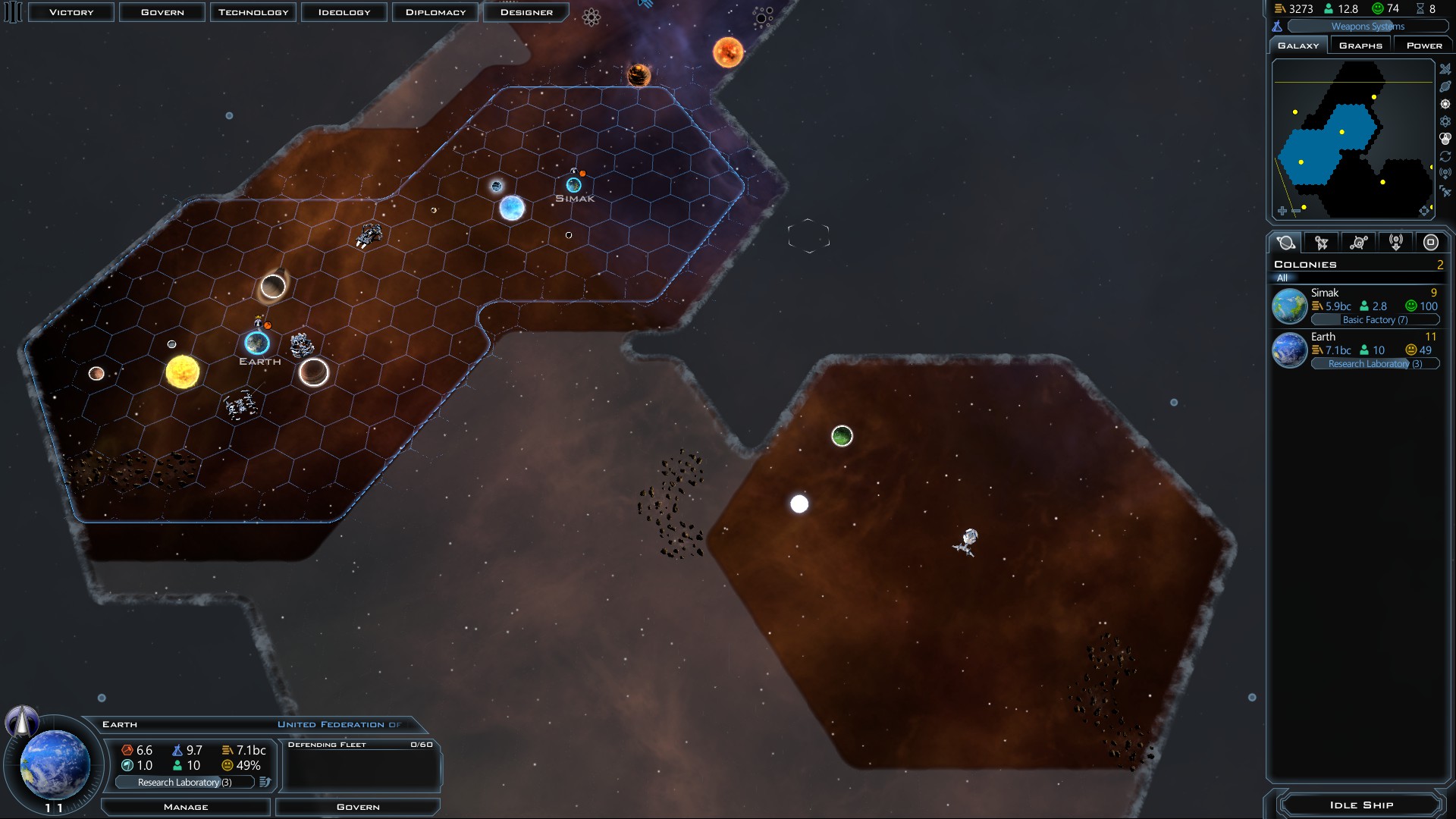
The grid does not display properly after the latest update. I've tried checking and unchecking the box under options and pressing 'G' or 'CTRL-G' doesn't help. Screenshot is attached.
3,808 views 3 replies
Reply #1 Top

Theres a setting to show the grid only within your area of influence. (so just within your color boundary) somewhere in settings should be a check mark to make it go everywhere again.

Reply #2 Top

Press G a few times. It cycles between the three different options.

Reply #3 Top


Turns out there's an option under 'interface' that hides the grid outside of influence. The new patch must have either included this or reset it to this option. My grid is back now!