Ship Designer Bugs and Requests

After making and submitting 2 ship designs for the contest, here are some issues and wants with the Ship Designer.

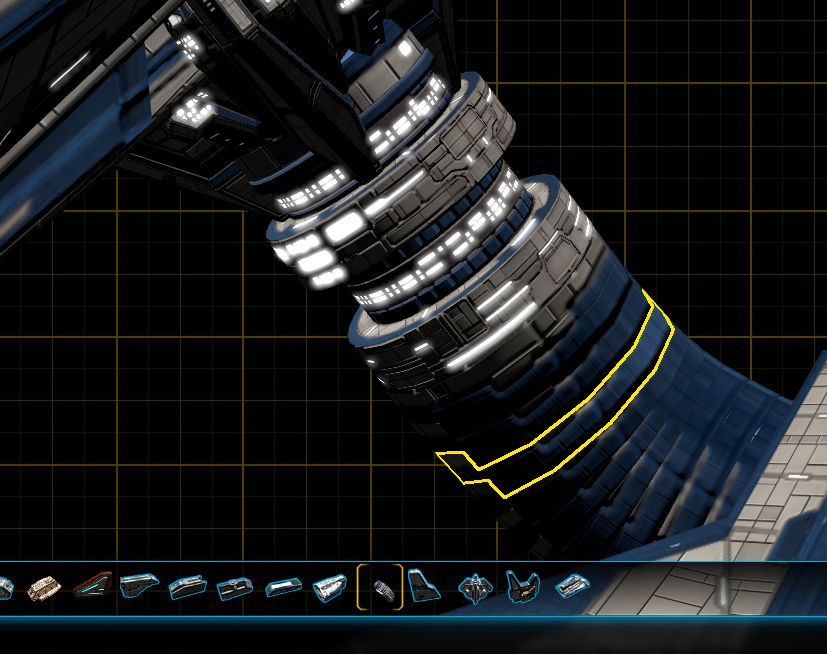
Issue 1: Customs parts lose mirror properties.

This is how the part is supposed to look.

This is how the part looks after saving it as a custom part.  If I try to mirror the part so it looks like it should, any other part I then attach to it acquires the mirror properties, which is not good for a part like this.  I had to make the final custom part by creating all the pieces without mirroring.  (I have mentioned this in previous posts, but trying to do detail work for the contest really brought these issues to the forefront.)

Issue 2: Wonky hard points.

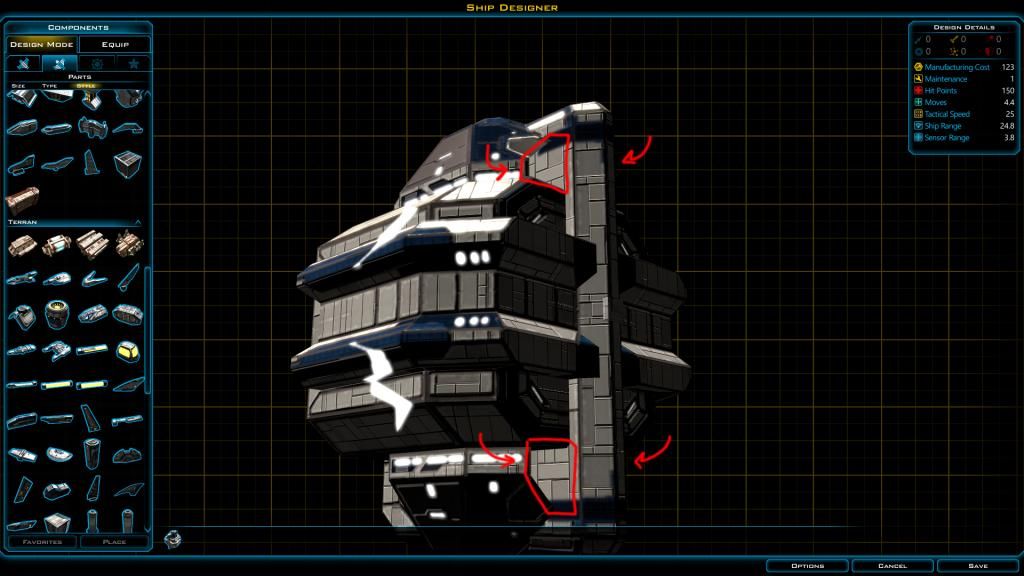
Another issue previously mentioned:


The part at the bottom should have attached straight out from the part it is connected to.  However, it acquires characteristics of the part it is attached to, which makes detail work painful sometimes.  I would prefer that new parts not acquire the characteristics of the part they are attached to.

Issue 3: Can't delete custom parts.


Half of these parts are mistakes.  I can't delete them.  Please add a delete option.

Issue 4: Objects may look different in the game.

This is one of my new designs as it appears in the shipyard:


Everything looks as it should from the Ship Designer.  However, when I build one in the game, the habitation rings are resized smaller.  I can't figure out why.

Issue 5: If we create a custom part, we cannot then add something to it and create a new custom part that incorporates the original one.  Again, when doing detail work, it would help to be able to create a base custom part, then add to it and save it as a new custom part.

Finally, a request.

Please, please, please allow us to copy parts.  Again, when doing detail work, having to change the characteristics of every part instead of doing it once and then copying the part would really save A LOT of time.

For all the issues, designing ships is still a lot of fun!
5,385 views 6 replies
Reply #1 Top

I've been keep track of some ship designer issues, and I figure this is as good a place and time as any to mention them.

First, adding to what you've mentioned in Issue 2: Wonky hard points--I find that sometimes the opposite takes place when you don't want it to.

For example, I've been playing around with creating bends and tubes by attaching several pieces and then angling them each by a few degrees and offsetting them closer together. If you add all the pieces at the start of this process, everything works out okay. But if you add something to the end of such chains of pieces, they sometimes align absolutely to the axes of the whole ship instead of to the piece your connecting to, which can be frustrating, for example, when building a wing. If you build a wing at a weird angle and want to add something to the tip, that component will not always carry the angle of what it is attached to.

I guess I'd prefer an alignment toggle: either an "align to the anchor point" or "align to the ship's axes." This way, you could have a choice between the two. In any case, when a hard point randomly points a component 13 degrees off-kilter, it is really annoying, and I hope it's a problem that can be fixed without hurting already-built ship designs (though I'd prefer it be fixed even if it messed up previous designs).

A few other issues:

1) Drengin Model 16: This model has what I believe are unintentional holes in the front of the model...

Drengin Model 16

2) Grouped/Exported Component Outlines: Sometimes grouped and/or exported components don't display their outline as a whole group, but instead each individual constituent component will outline on mouse-over. Also, their outlines aren't included in group outlines (if an exported component is included in a group of components, the group of components will form a single outline with any constituent exported components not outlined).

Grouped Outline Bug

3) Ungrouping Button Disabled: I've had intermittent issues ungrouping grouped components due to the ungroup button being unexpectedly disabled, which can sometimes be resolved by grouping and ungrouping other components, or by saving the design and reloading it.

4) Undesired Multiple Ungrouping: When grouping sections of a ship to reduce the part count being displayed, sometimes ungrouping one section will ungroup the next grouped section in the component list at the bottom of the screen. For example, if I group the 5 first components (say, Group A) and then the 8 components that were placed next (Group B ), when I ungroup Group A, sometimes Group B is also ungrouped.

5) Rotation Display: I've had intermittent issues with the set of rotation dials showing a thin line (matching the color of the dial) rotating perpendicular to the arrow on the outside of the dial. I didn't take a screen shot of it earlier, and I didn't have the problem today--If I get a screen shot, I'll post it.

Reply #2 Top

And I should add that I agree--ship designing is way fun, despite some bugs here and there.

Reply #3 Top

trumpeter87 have you tried holding the shift key when aligning a part and it orients to the ship?  The shift key aligns it to the part not the ship.  I've had to use it on any circular part to get it to point out the correct direction.

Reply #4 Top

The shift key aligns it to the part not the ship.

Well, I'll be D.....  It works.  Thanks!!  :D   I wonder if other issues would be solved by a keyboard shortcut.  Has anyone done a wiki on the ship designer yet?  ( I can find a couple for GC 2, but not 3.)

Note: Holding the <CTRL> key stops a part from acquiring the mirror properties of a part it is connected to.

Reply #5 Top

I didn't know that Ed, thanks! That's wonderful.

As for the CTRL key, I could be wrong, but I thought that just placed the component at the cursor and not to any anchor... which does prevent it from acquiring any attributes from any other pieces because it stands alone.

Reply #6 Top

I would like something as simple as undo and redo.


Does anyone have a list of all ship designer hotkeys?